Guide-Data Connectors to Batch Upload Data
Guide - Data Connectors to Batch Upload Data
| Version | Data | Author | Description |
|---|---|---|---|
| 1.0 | 2026年7月10日 | @倪锦鹏 | Init Document |
Introduction
Data connectors in Sprinklr streamline the integration of external data sources with its platform, facilitating seamless data flow and enhancing operational efficiency.
Perrequisites
The user must have an Admin role.
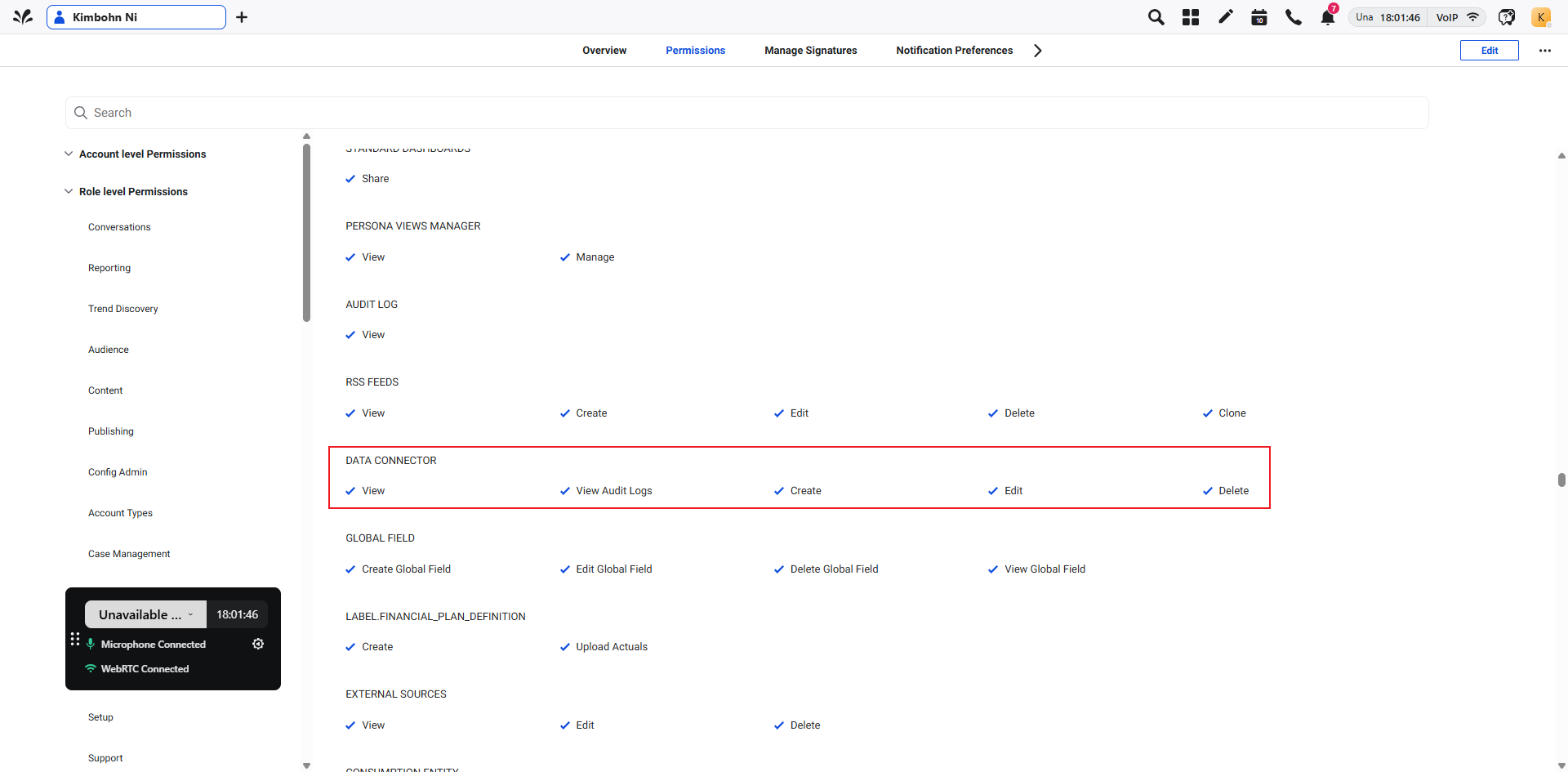
Ensure that the following permissions are provided to you to access the data connector before you start installing the Connector. The screenshot shows all relevant permissions that you require to access Data Connector.
Steps for batch importing data
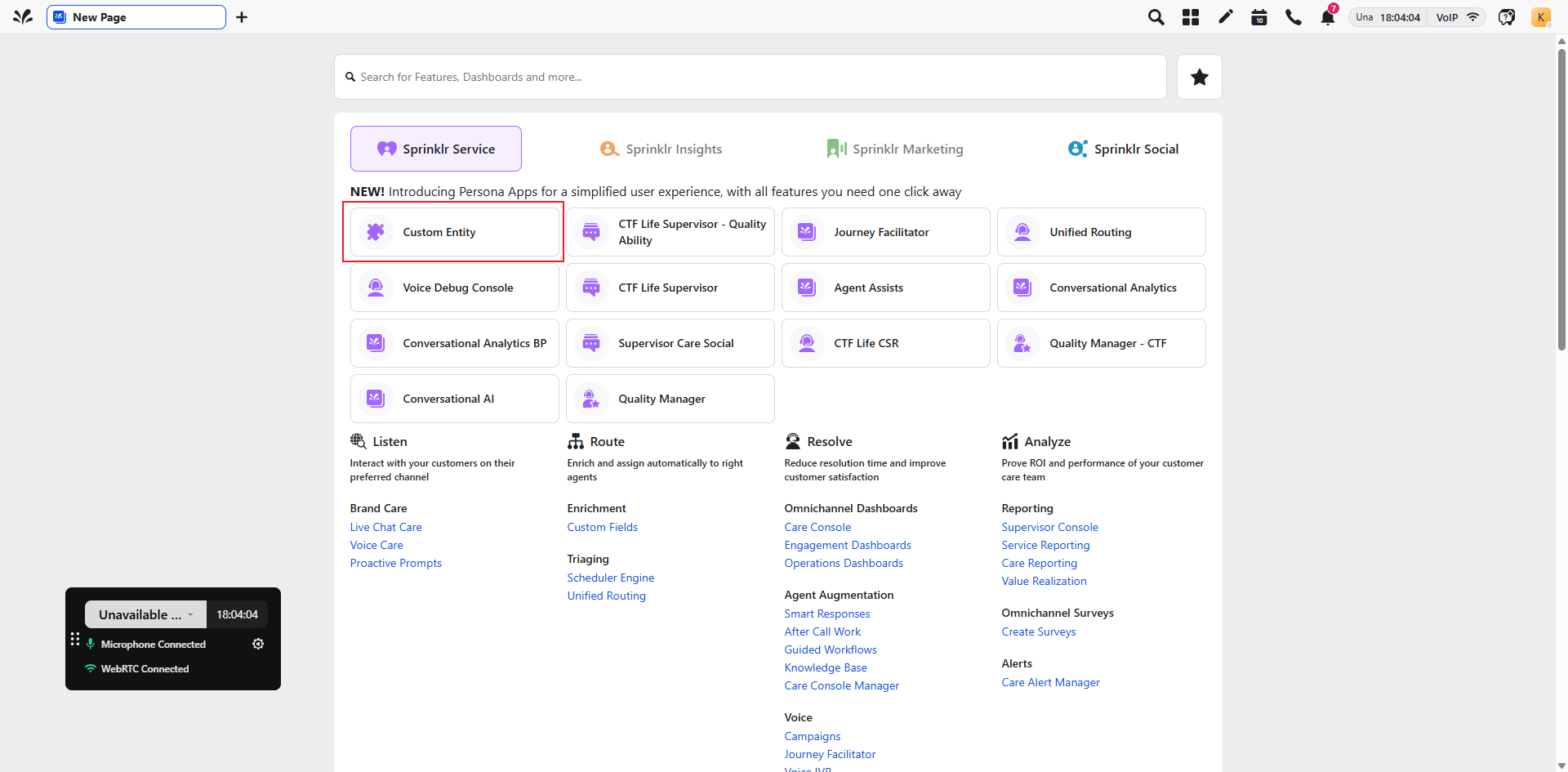
Step 1. Click "Custom Entity" to proceed with processing
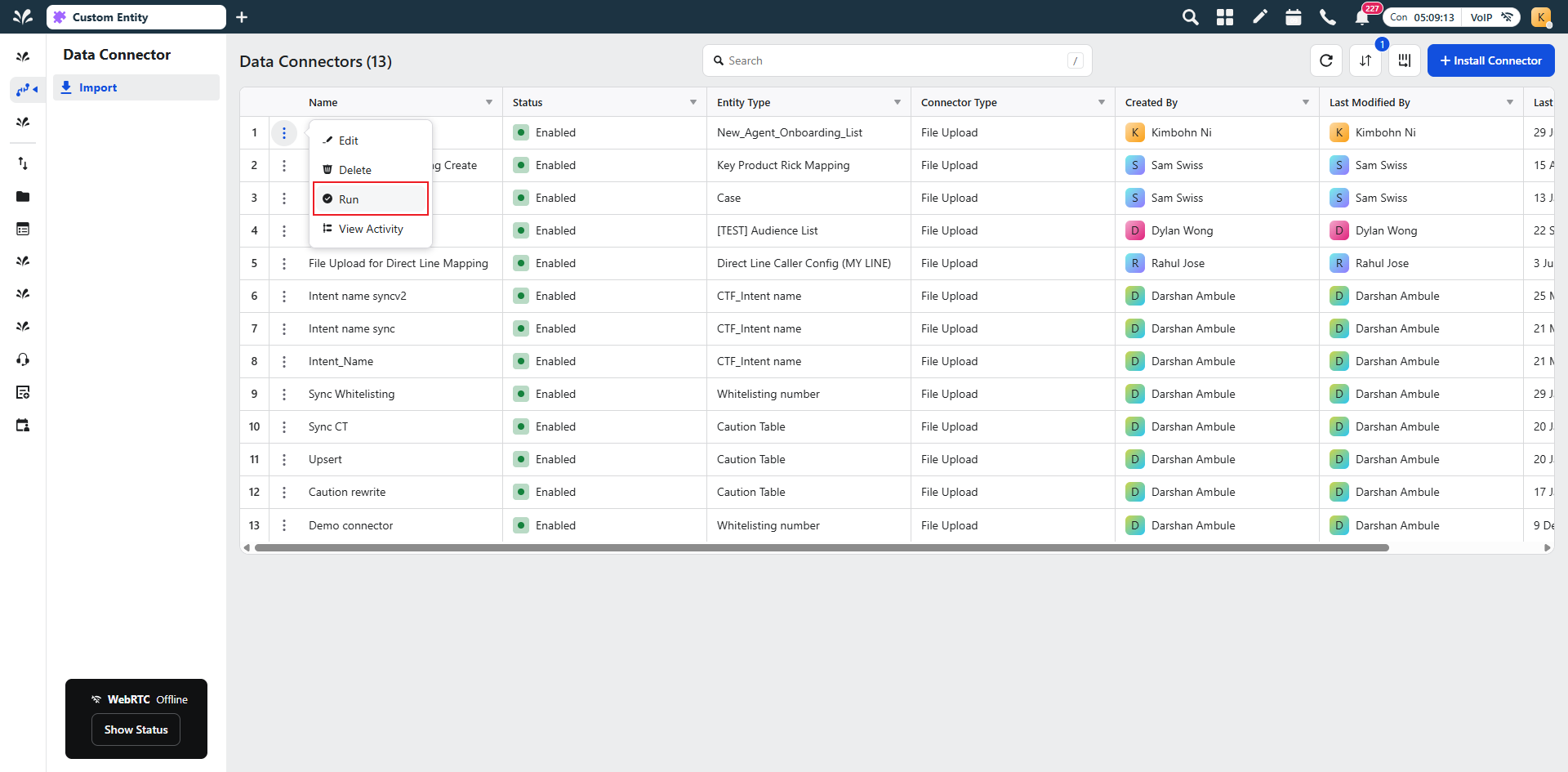
Step 2. Hover over the connector, click Options (…) → Run.
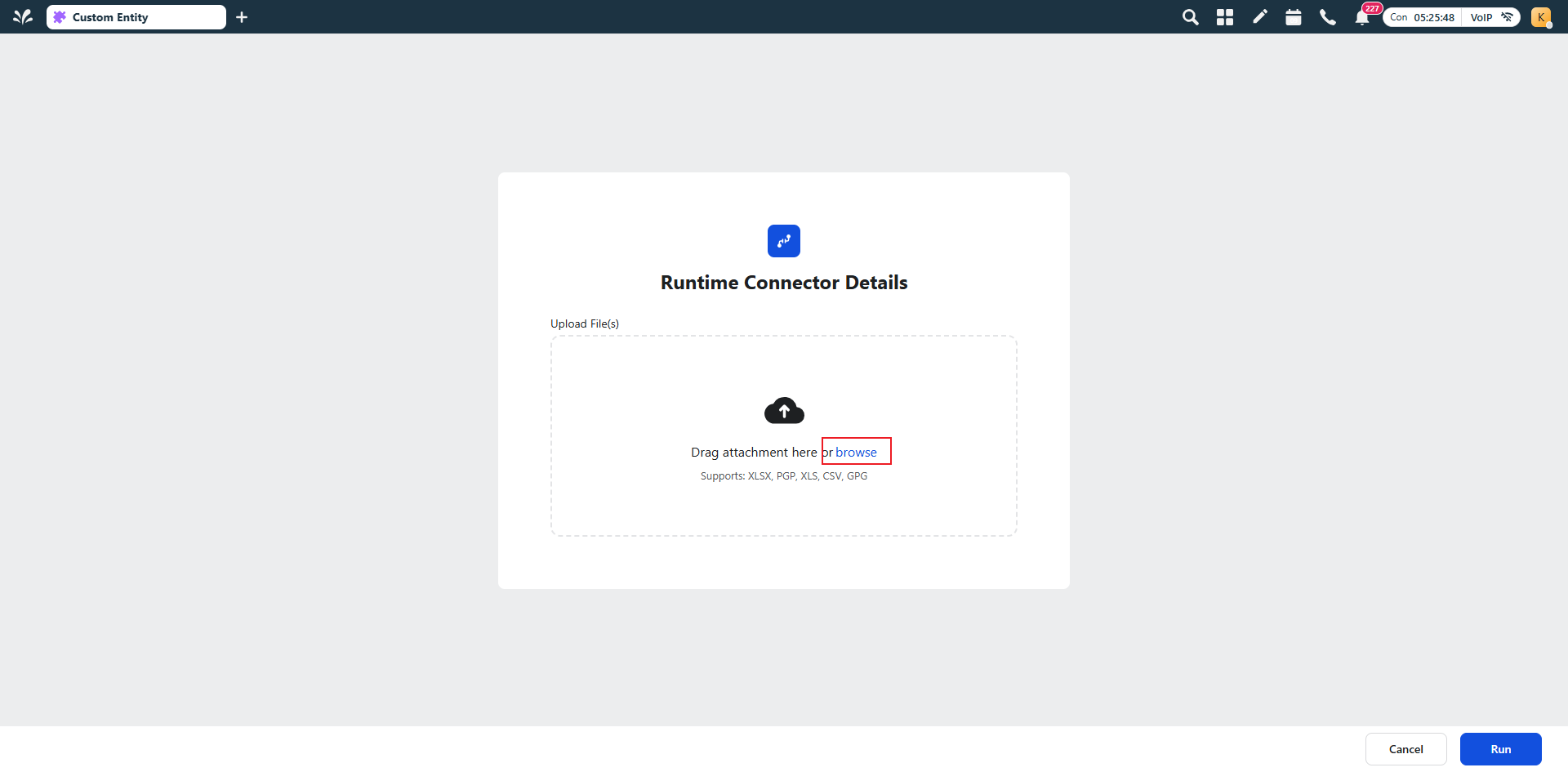
Step 3. Click the Browse button, select the eligible template Excel file, and after the upload completes, click Run
Important notes:
All imported data must pass the system’s field validation rules. Each field must conform to the predefined format, data type, and allowed value set specified in the template (e.g., ID fields must have a fixed length, status fields must use designated enumeration values). If validation fails, the system will return an error message and the import process will be terminated.
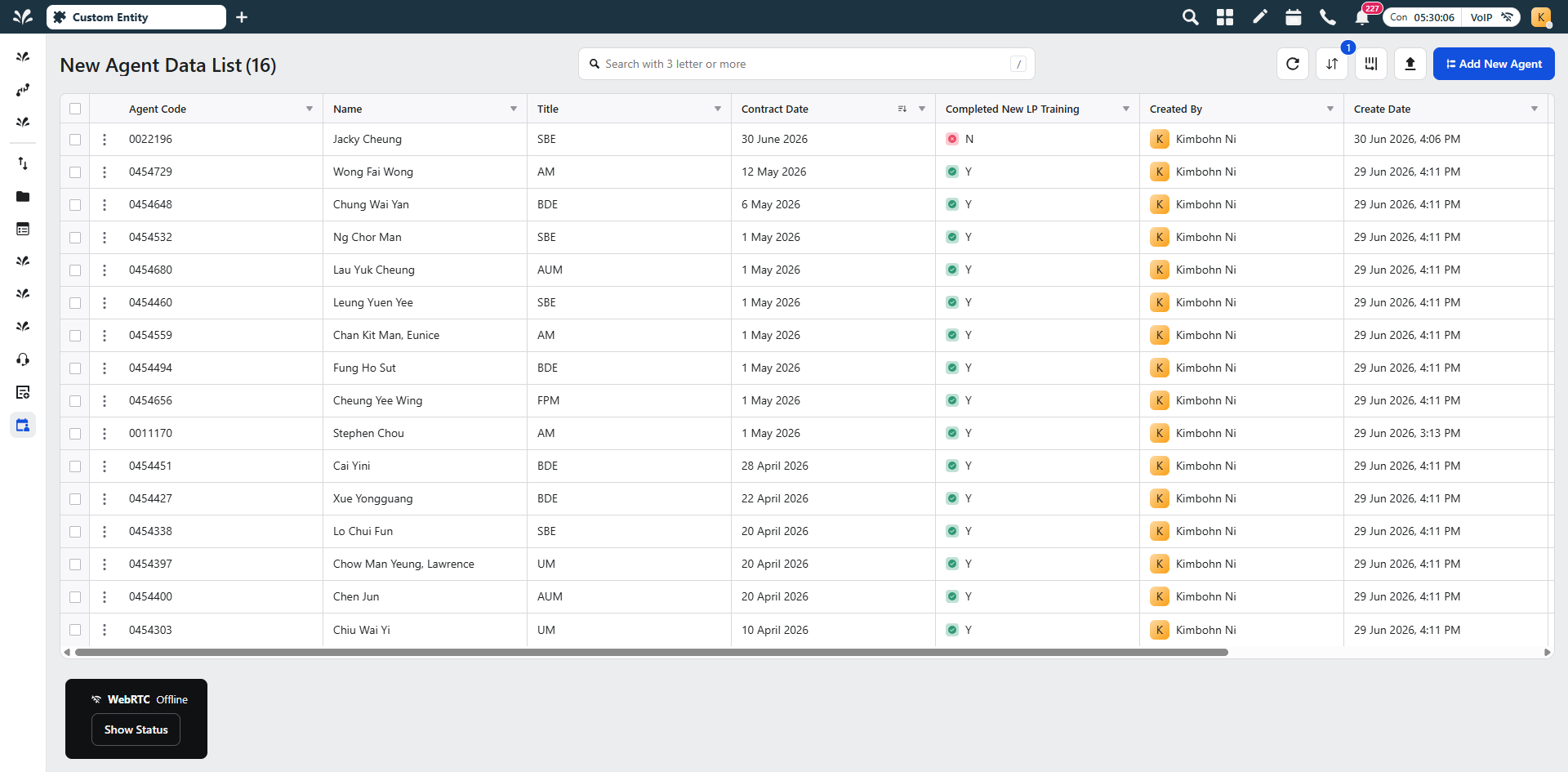
Step 4. Go to the Data List to view the data.
You may create, export, adjust or delete any data entries in the list as needed.